
Start with a matched input and output
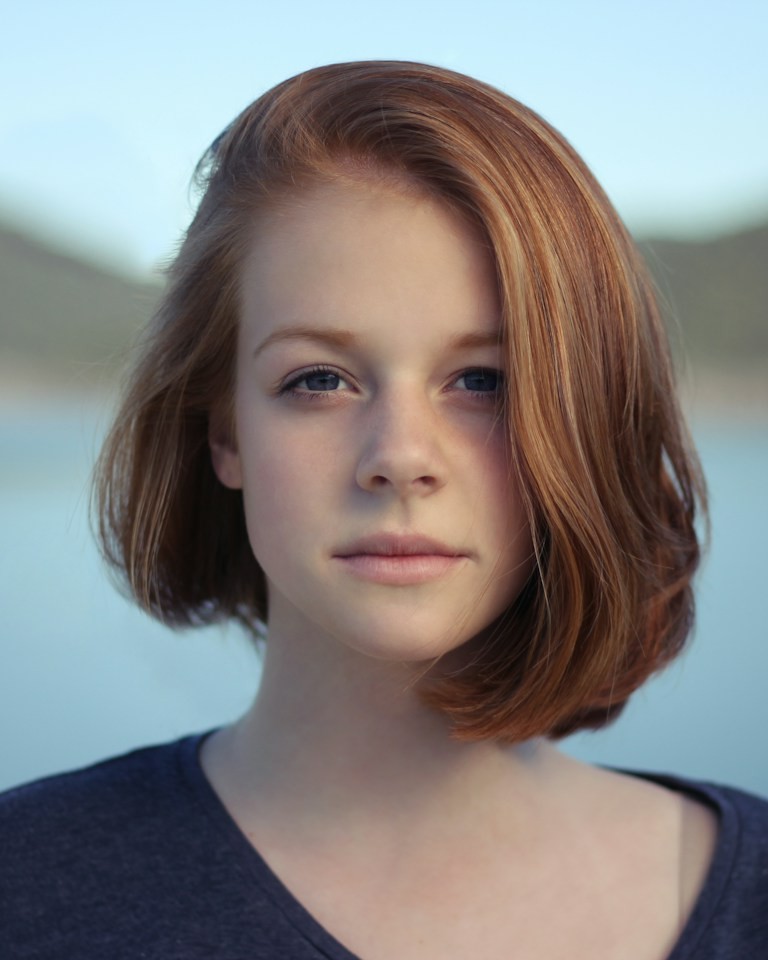
A usable case contains two separate human portraits and the actual video returned for that pair. The photographs should be identified by their intended screen positions. The output should be playable in full, so a visitor can inspect more than a selected still. If the media do not come from the same task, the comparison should not be presented as a before-and-after result.
The displayed input should represent what was actually submitted. Cropping or compressing a photo for processing can affect the available detail, so a case should not quietly substitute a sharper source photograph for the processed reference. Cosmetic presentation must not make the inputs appear stronger than they were.
A source-performance preview belongs beside this evidence only with a clear label. It shows the motion being used, while the generated output shows how those particular portraits were transformed. Switching a template preview must not imply that the same case was regenerated for another template.
Read the settings before judging the picture
This case used one Kling O3 Standard request through fal, the Classic template and a 16:9 frame. The returned file is 1280 by 720 pixels, with 15.042 seconds of video and 15.000 seconds of audio. Standard uses 300 credits in the product; this editorial demonstration was submitted directly to the provider and did not test customer checkout or deduct a customer balance. No Pro comparison or second paid attempt was made.
The video length is fifteen seconds. The current workflow edits a prepared performance using two portrait references and retains the source audio. It does not record the subjects, clone their voices or make them speak words typed into a caption. Understanding that mechanism prevents the comparison from suggesting a capability it did not test.
A single documented task should also remain a single documented task. If later work adds another output, it needs its own inputs and settings rather than being silently swapped into an earlier story. Case evidence becomes difficult to interpret when the best frame, best audio and best facial result come from different attempts.
Watch once before pausing
Begin at ordinary playback speed with sound. Ask whether you can follow the two people, whether the intended arrangement is clear and whether any moment distracts you immediately. Write that first impression before inspecting individual frames. It reflects the way many viewers will encounter the shared result.
Then replay while focusing on one person at a time. Notice what happens when the face turns, the expression changes or something crosses the face. The input photograph can help you compare distinctive features, but do not expect a moving face to match the same pose at every instant.
Finally inspect any moment that concerned you. A timestamp and a concrete description are enough: the glasses change shape after a head turn, or a face loses its recognizable mouth shape near the ending. Those are hypothetical diagnostic examples. In this output, fast hand gestures look soft around the six-second sample, so review the moving clip before judging a paused hand.
This order avoids two opposite mistakes. A pleasing cover can make you overlook unstable motion, while extreme frame-by-frame inspection can make a usable casual clip seem worse than it looks during normal viewing. Record both the ordinary viewing experience and the specific artifacts you find.
Compare identity without inventing an accuracy score
Look at features that distinguish each person in the supplied portrait: face shape, eye spacing, nose, mouth and characteristic hair or accessories. Check whether those features remain coherent together. Keeping the same hairstyle is not sufficient if the face underneath changes into someone else.
Recognition is also relational. Friends may notice a change in expression or jaw shape that a stranger would miss. A public case cannot stand in for the approval of the two people in your own video. Their comfort with the likeness matters more than an unexplained percentage attached to a demo.
Do not treat every expression difference as identity failure. Animation necessarily changes the mouth and face as the subject appears to perform. The question is whether the person stays recognizable through those changes. A fair analysis points to a specific loss of continuity instead of demanding that every frame resemble the input's fixed expression.
In samples across this output, the man retains his gray hair, glasses and green shirt on the left; the woman retains her red bob and dark shirt on the right. No side exchange was seen in those samples. Head turns change how much facial detail is visible, and the new body motion comes from the generated edit. No numerical identity benchmark or full-frame likeness certification has been performed.
Separate source behavior from generated errors
Compare the generated video with the matching source performance at the same time. A face partly hidden by a microphone in both files is a property of the source composition. A face changing shape only in the output is a different kind of problem. Those distinctions help explain what another photograph could plausibly improve.
Screen position matters too. Track the two subjects through overlap and check whether each identity remains assigned to the intended side. If the source itself contains substantial movement, a static left/right label does not tell the whole story. The completed output still needs to be reviewed throughout the passage.
Inspect the frame edges when the subjects move outward. A crop that removes an important gesture is a composition issue even if the faces look good. Conversely, retaining a wide frame can make the faces smaller on a phone. The case should display the actual ratio without stretching the people to fit a decorative panel.
Evaluate the retained audio on its own terms
Listen for continuity from beginning to end. The sound should be the source soundtrack chosen for that template, with no unexpected gap or accidental duplicate audio. Then watch the mouth movement against the same playback. Audio presence and convincing visual synchronization are separate observations.
This Standard case retains the Classic soundtrack. Three separate four-second waveform comparisons matched the corresponding official source recording with correlations above 0.999. That technical check supports audio continuity and source identity; it does not certify lip synchronization. The portraits supply no recording of these subjects, and this result does not demonstrate their voices, custom speech or a personal vocal performance.
When a video is embedded on a page, silent initial playback or a browser sound restriction can affect the experience. Use the player controls before assuming the downloaded file lacks audio. A case review should distinguish a playback setting from a problem in the media itself.
What one Hotel Lobby before and after case cannot prove
One case can show a specific outcome for a specific pair of portraits and a selected source. It cannot establish average completion time, a reliable success rate, performance for every face or superiority over another provider. Those claims require repeated controlled evidence that this page does not have.
It also cannot demonstrate unsupported inputs. A successful human duo does not validate pets, illustrated characters, a group photograph or a single-person mode. The fact that a model elsewhere supports a wider editing task does not expand the controls or guarantees of this product.
The private status of your own work is separate from a deliberately published example. User photos and outputs are private by default. A public case requires a purposeful choice of suitable inputs and permission to show the matched result; it should not be assembled from private customer media.
Use the matched case to inspect your own setup: compare the two supplied portraits with the moving faces, then watch the Classic source for the intended gestures. The displayed example uses public demonstration portraits and one directly submitted model task. It verifies this particular input and output pair, while the website login, payment, credit deduction and production callback recovery remain separate checks. The original output is shown without a corrective edit or a second attempt selected to replace it.